



Watch Media on Precor Consoles
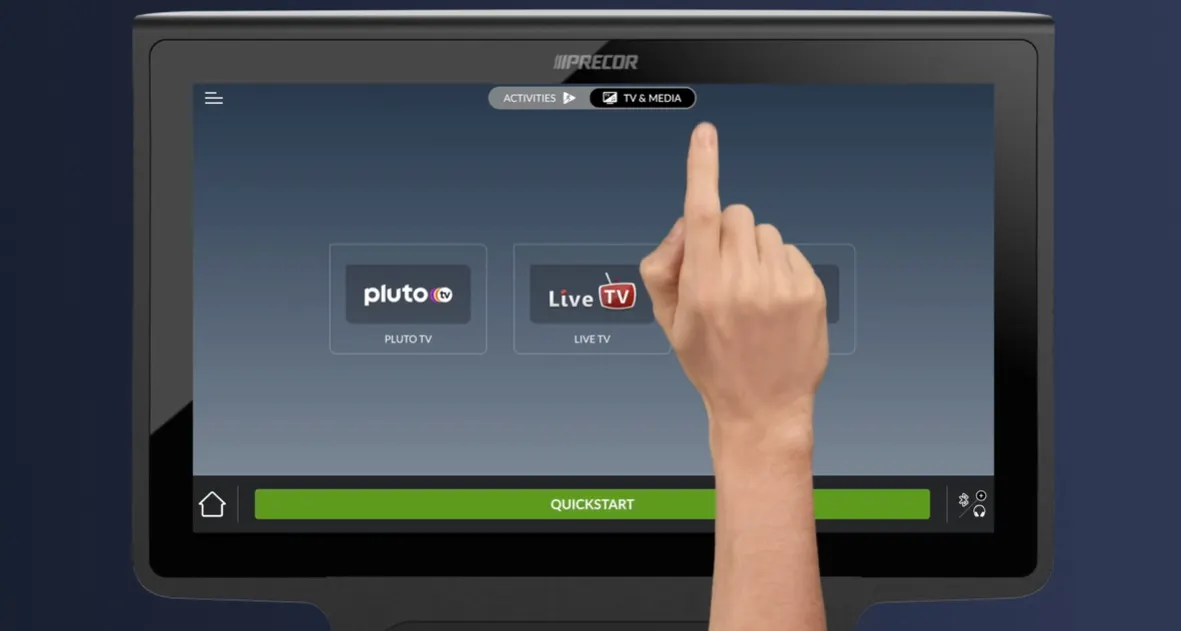
Step 1
Set up media before or during the workout. Before the workout, select the media tab and choose Live TV or PlutoTV.
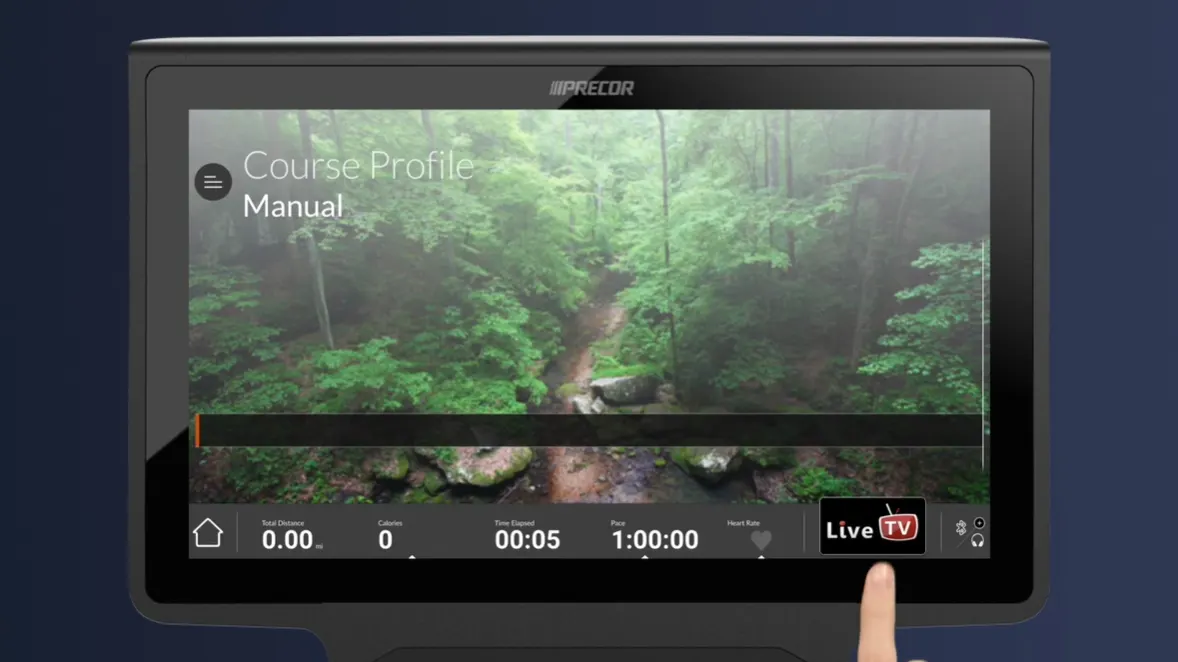
Step 2
During the workout, tap on the Live TV button to toggle back and forth between workout and media views.
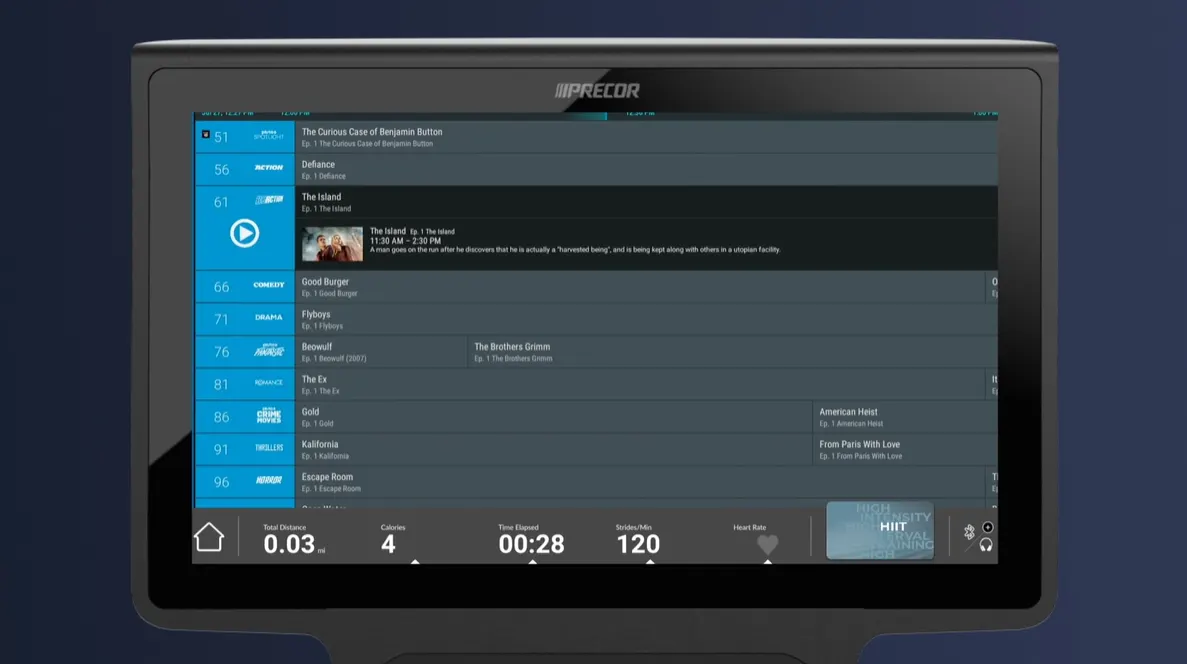
Step 3
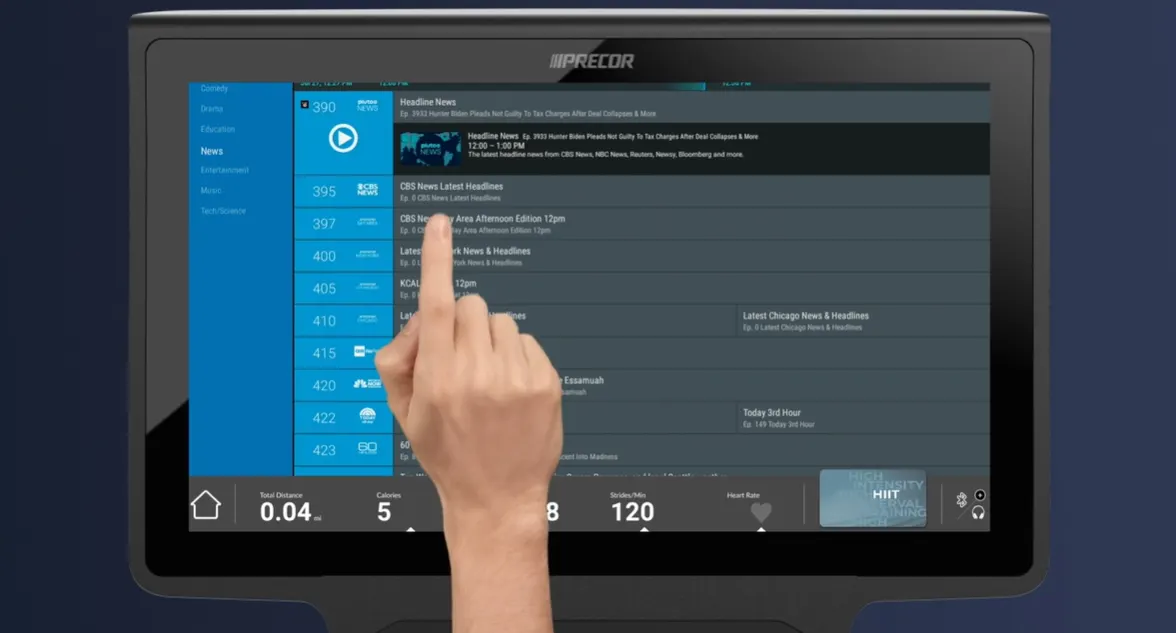
From the media view, tap the screen to show channel options.
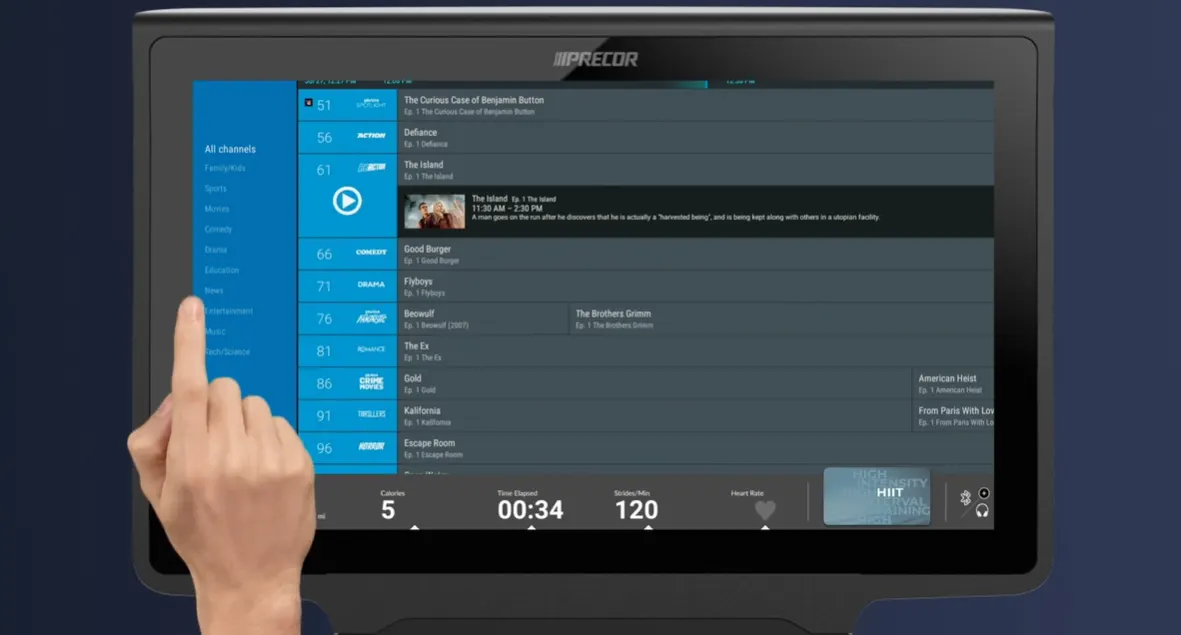
Step 4
Tap the blue column on the far left side to show content categories, such as comedy, news, and more.
Step 5
Tap a channel and the play button to change channels. The console remembers your last seven selections for easy access.
Step 6
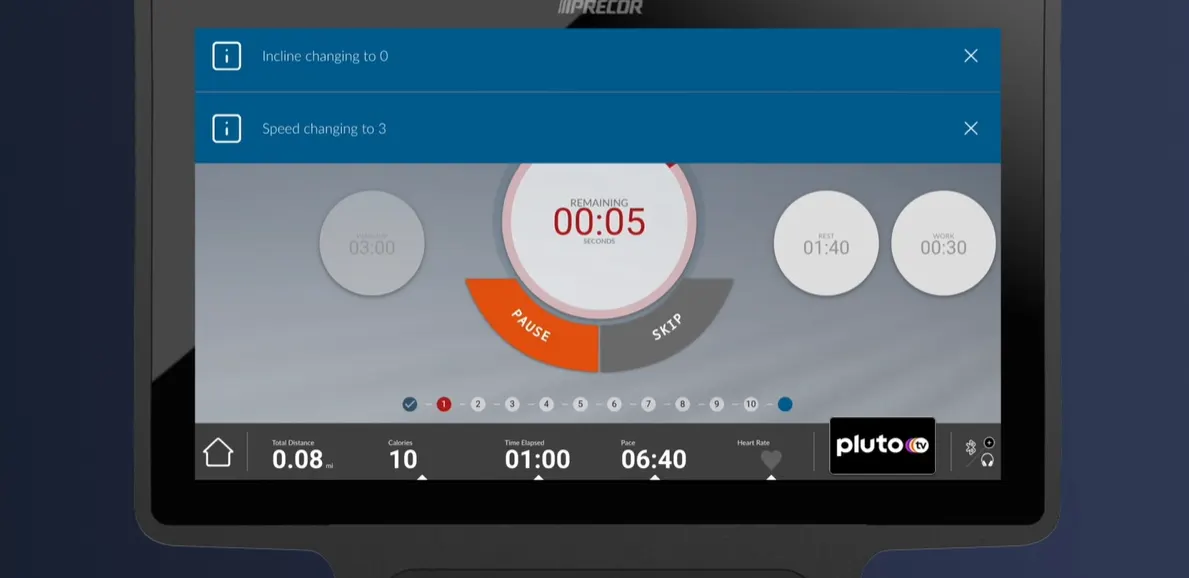
During workouts exercisers see notifications each time the equipment prepares to automatically adjust speed or incline. During media views, exercisers can see and dismiss change notifications at all times.

